 LiveEcho by KalisPro
LiveEcho and the DogByte Discord bot
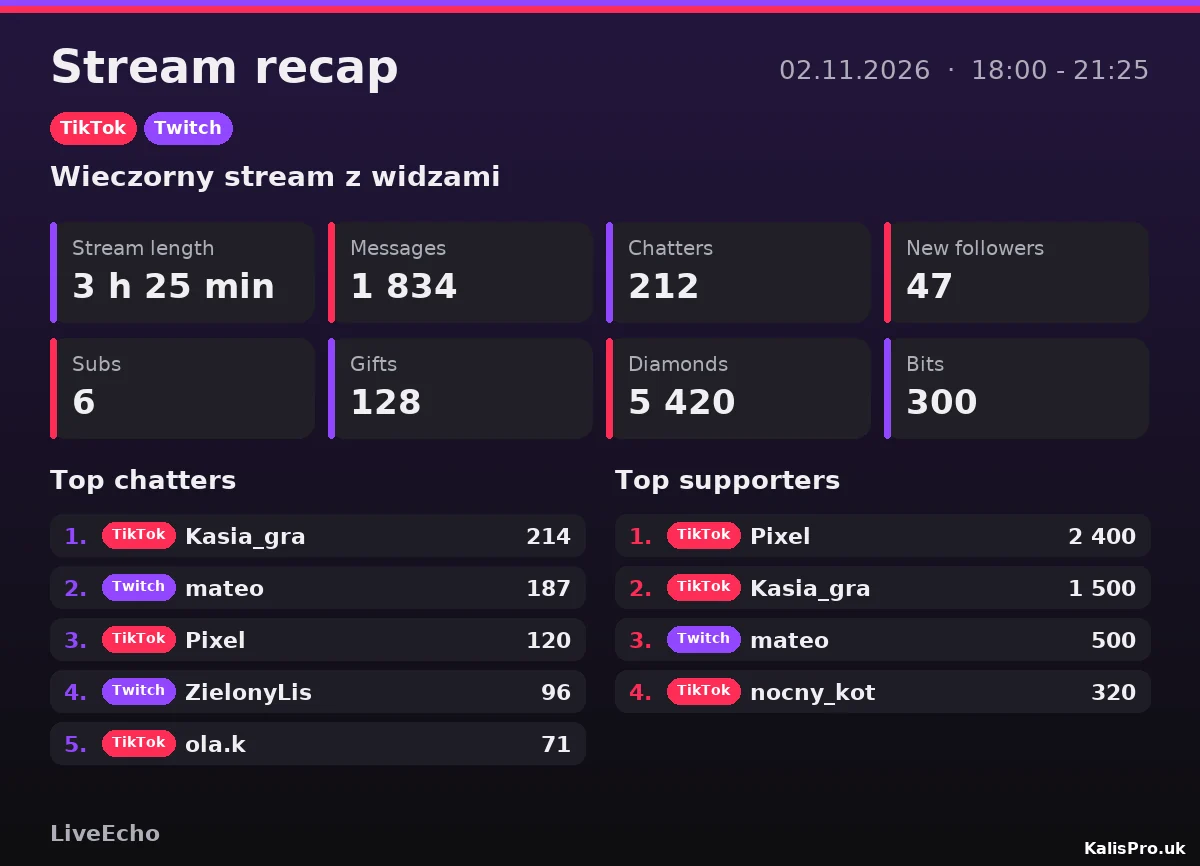
If your Discord server uses DogByte, connect it with LiveEcho using one code. After the end credits a recap with messages, follows and gifts lands on Discord, live alerts go out as soon as LiveEcho sees your stream, and the credits show your next stream from the DogByte schedule.
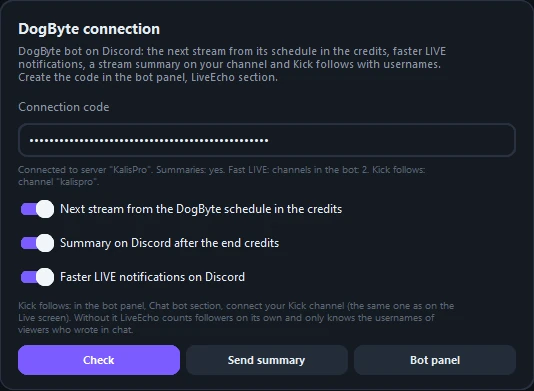
The pictures show the English version of LiveEcho. If your app is in Polish, switch it in Ustawienia, card “Język / Language”.
Step by step
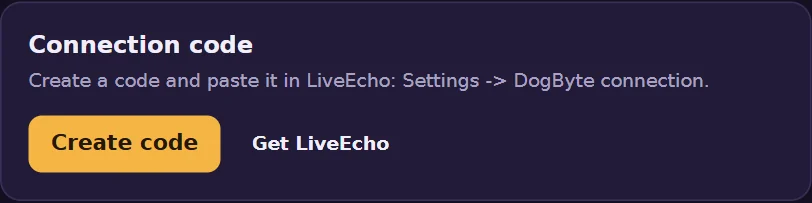
- Create a code in DogByte. Log in to the DogByte dashboard, pick your server, open LiveEcho and click Create code. Copy it: it is shown only once.
- Pick a recap channel in the same section, in Settings, so DogByte knows where to post.
- Paste it in LiveEcho. Go to Settings and find the DogByte connection card. Paste the code into Connection code.
- Check it. Click Check. LiveEcho shows the server name, whether a recap channel is set, how many channels DogByte follows for faster live alerts and which Kick channel gives follows.
What each switch does
- Next stream from the DogByte schedule in the credits: the end credits finish with your next stream from the DogByte weekly schedule.
- Summary on Discord after the end credits: when the credits end, LiveEcho sends the stream stats and DogByte posts a graphic: stream time, messages, people in chat, peak viewers, follows, subs, gifts and the most active people.
- Faster LIVE notifications on Discord: as soon as LiveEcho connects to your live, DogByte checks the platform and posts the alert.
Send summary sends the recap by hand, without the credits. Bot panel opens the DogByte dashboard.
Kick follows with usernames
Kick chat does not report follows. When your Kick channel is connected in the Chat bot section of the DogByte dashboard, the bot passes every new follower to LiveEcho, so the alert, the spoken thank-you and the credits get the username. How to set it up.
Common problems
Check shows an error
Someone may have clicked New code in the dashboard. The old code stops working then: create a new one and paste it again.
No recap on Discord
After Check look for “Summaries: yes”. If it says there is no channel, pick one in the dashboard and check that DogByte can write there. A recap goes out at most once every 10 minutes.